There’s no shortage of receipt scanning software.
Type the phrase into Google, and you’ll find dozens of tools, all claiming to be accurate, fast, and easy to use.
Most of them are fine at reading a clean, printed receipt from a large retailer.
Most of them struggle the moment things get real – faded thermal paper, multi-page utility bills, supplier invoices with non-standard layouts, or anything that requires more than just “read the text.”
For UK businesses in 2026 (with MTD expanding, VAT rules as complex as ever, and quarterly submissions becoming the norm), “fine” isn’t enough.
Here’s a clear-eyed look at the best options on the market, who each one is built for, and where they fall short.
What Makes a Receipt Scanner Actually Good?
Before the list, a quick framework.
The tools worth your time do more than OCR.
They extract, validate, categorise, and integrate – all without a human manually moving data between systems.
For UK businesses specifically, they need to understand VAT (not just detect a number, but apply the right treatment), connect to HMRC-compatible accounting software, and support MTD-compliant digital record-keeping.
A scanner that can’t do those things is a digitisation tool, not a business tool.
1. EazyCapture
Best for: UK sole traders, SMEs, landlords, and accounting practices that need more than raw data extraction.
EazyCapture occupies a different category from most tools on this list. It’s not trying to be a generic scanner. It’s built specifically for the UK accounting workflow – and that specificity shows.
Where other tools extract a VAT figure, EazyCapture suggests the correct VAT treatment based on the supplier and item type – distinguishing between standard rate, zero-rated, reduced rate, and exempt.
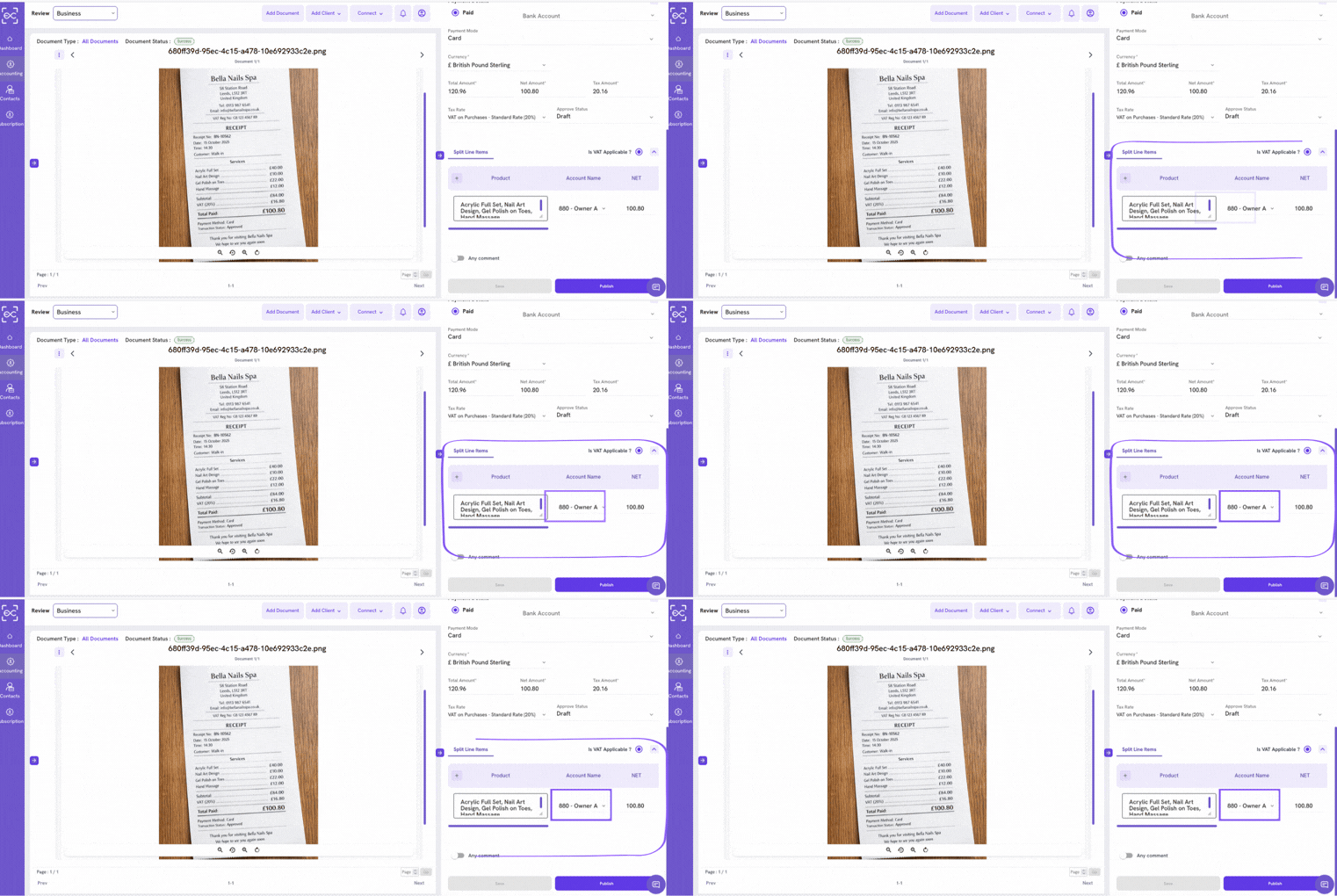
It handles multi-page documents as a single coherent record, rather than splitting them into separate entries. It flags exceptions before they reach your books rather than after. And it connects directly to Xero, QuickBooks, and Sage via API, creating the digital link that MTD compliance requires.
The supplier learning feature is also worth noting.
The more you use it, the less you need to do. Repeat suppliers are handled automatically – correct VAT code, correct nominal account, no manual intervention.
It’s not positioned as the cheapest option.
But for UK businesses where VAT accuracy and MTD compliance matter, it’s the one that’s actually built for the job.
Stands out for: UK VAT intelligence, multi-page document handling, MTD-ready integrations, exception flagging, CIS support.
2. Dext (formerly Receipt Bank)
Best for: Accounting firms with existing Dext workflows and primarily UK/Western clients.
Dext is the most recognised name in UK receipt capture, and for good reason. It’s been in the market long enough to build a deep integration ecosystem, and its OCR accuracy on standard documents is consistently strong.
For accounting practices that already have Dext embedded in their workflows, there’s little reason to switch. It does what it says, it integrates with everything, and the client-facing mobile app is well-designed.
The weaknesses are mostly around configuration overhead.
- New suppliers require manual rule-setting.
- Complex or non-standard invoices can need correction.
- And the pricing model, particularly at higher volumes, can become a significant line item.
It’s also worth noting that Dext’s UK VAT handling, while solid, lacks the depth of purpose-built UK tools when it comes to edge cases like CIS deductions or nuanced exempt vs. zero-rated categorisation.
Stands out for: Integration breadth, brand recognition, accountant-facing features.
Recommended: Best Dext Alternative
3. Hubdoc
Best for: Small businesses and sole traders already paying for Xero who need basic document capture.
Hubdoc is owned by Xero and included in most Xero business plans, which makes it the easiest free entry point for businesses already in that ecosystem.
Its best feature is automatic document fetching – it logs into supplier portals (utilities, telecoms, etc.) and pulls bills directly, so you don’t have to scan them at all. For recurring, predictable suppliers, this is genuinely useful.
Where it falls short is everything beyond that. The mobile scanning experience is basic. Multi-page documents are handled poorly. There’s no meaningful VAT intelligence. And as your volume or complexity grows, you’ll quickly hit the limits of what Hubdoc can do.
Think of it as a starting point, not a destination.
Stands out for: Free with Xero, automatic bill fetching from supplier portals.
Recommended: Best Hubdoc Alternative
4. AutoEntry
Best for: Businesses that need granular line-item extraction from invoices and statements.
AutoEntry has a specific strength: reading tables. If you need to extract data line-by-line from complex invoices (individual items, quantities, unit prices), AutoEntry performs well where more general tools struggle.
It also handles bank statements well, pulling transaction-level data that can be pushed into accounting software without manual entry.
The limitations are primarily commercial. AutoEntry runs on a credit-based pricing model, which makes it difficult to predict monthly costs.
A busy month can produce a bill that’s significantly higher than expected. For businesses with steady, predictable volume, this is manageable. For everyone else, it’s a source of friction.
Stands out for: Line-item extraction, bank statement processing.
Recommended: Best Autoentry Alternative
5. Expensify
Best for: Businesses with employees submitting expense claims for reimbursement.
Expensify is the tool to reach for when the problem is employee expenses rather than accounts payable. Its approval workflow (snap a receipt, submit for manager review, get reimbursed) is genuinely well designed and widely used.
What it isn’t is an accounts payable or bookkeeping tool.
If you’re a landlord, sole trader, or SME trying to manage supplier invoices and VAT records, Expensify isn’t the right fit. It’s solving a different problem.
Stands out for: Employee expense submission and approval workflows. Watch out for: Not designed for AP, invoice processing, or UK VAT compliance.
How to Choose the Right Tool?
The right answer depends on what you’re actually trying to solve.
Need | Best Fit |
UK VAT accuracy and MTD compliance | EazyCapture |
Easy sync with Xero and QuickBooks | EazyCapture |
Multi-document capture and understanding data intent | EazyCapture |
Established platform for accounting firms | Dext |
Free basic capture within Xero | Hubdoc |
Line-item detail from complex invoices | AutoEntry |
Employee expense reimbursement | Expensify |
If you’re a UK business preparing for MTD, processing invoices from multiple suppliers, and trying to keep VAT records clean without a bookkeeper checking every line, you need a tool that understands the UK tax context, not just one that reads text.
That’s a shorter list than the marketing suggests.
The Bottom Line
Most OCR receipt scanners are built for the broadest possible audience. They work well on simple documents, they integrate with popular platforms, and they’re priced to be accessible.
But broad-audience tools make broad-audience assumptions.
They don’t know that a zero-rated supply and an exempt supply have different VAT reclaim implications. They don’t flag a CIS deduction. They don’t know what HMRC’s MTD digital link requirement means for the way data moves through your system.
EazyCapture does.
If you’re a UK business that takes its financial records seriously, it’s the only tool on this list built specifically with you in mind.