Artificial intelligence has become the default selling point for almost every product aimed at accounting and bookkeeping professionals. At industry events, in vendor emails, and across LinkedIn feeds, the message is the same: we use AI.
But there’s a growing gap between how AI is marketed and how it actually works.
On one side, you have vendors making sweeping claims. On the other, practitioners who either accept those claims uncritically or tune out entirely because the language feels too technical to parse.
Neither response serves you well when you’re making real purchasing decisions for your practice.
The good news is that you don’t need a computer science degree to evaluate AI tools intelligently. You just need to understand a handful of foundational concepts – the ones that separate genuinely useful software from dressed-up automation.
Here are five that matter most for accounting professionals right now.
1. AI Doesn't Read Documents the Way You Do
When you read an invoice, you scan for familiar patterns: supplier name at the top, line items in the middle, totals at the bottom. You understand context. You know that “Net 30” is a payment term, not a product description.
AI doesn’t work this way.
Large language models (the technology behind most modern AI tools) process text by breaking it into smaller units called tokens. These tokens are then analysed statistically, not semantically. The model doesn’t “understand” that a number is a VAT amount; it predicts that it’s likely a VAT amount based on its position, formatting, and surrounding text.
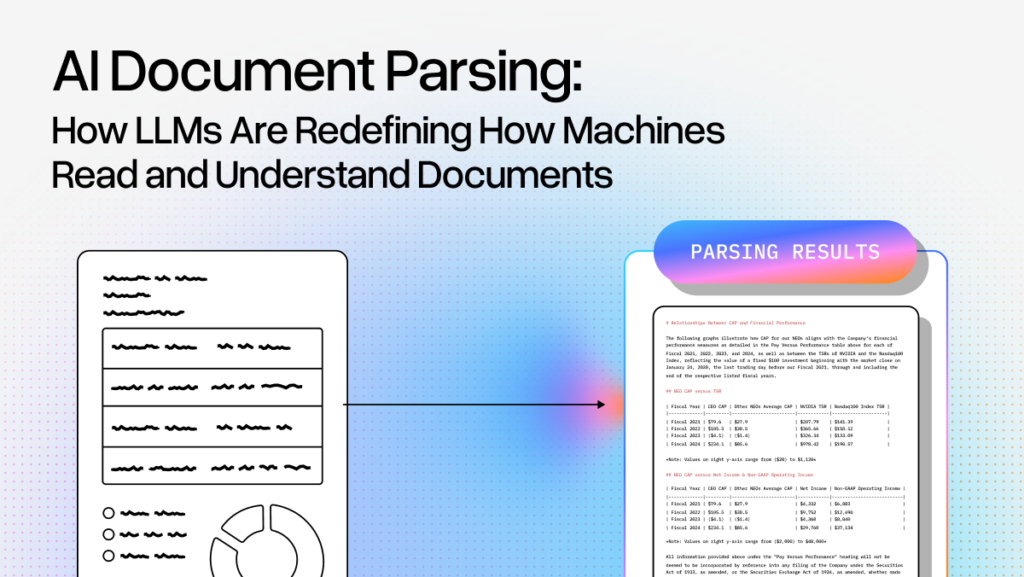
This distinction matters enormously in practice. When you feed an AI tool a clean, well-structured PDF invoice, it performs well. When you feed it a photographed, crumpled receipt with handwritten notes and coffee stains, the quality of output depends entirely on how well the system has been engineered to handle that messiness.
This is why input quality is the single biggest factor in AI output quality.
A tool that works beautifully on demo data may struggle with the chaotic reality of what clients actually submit. When evaluating any AI-powered accounting tool, the question isn’t just “can it process invoices?”
It’s “can it process my clients’ invoices – the handwritten ones, the multi-page ones, the ones in three different languages?”
2. AI Has a Limited Working Memory - And It Affects Accuracy
One of the most common misconceptions about AI is that it “knows” everything it’s ever been trained on and can access all of it simultaneously.
In reality, every AI model operates within what’s called a context window (a fixed amount of information it can hold and process at any given time).
Think of it like a desk. No matter how many filing cabinets you have in the room, you can only work with whatever fits on the desk in front of you. When the desk fills up, older documents get pushed off.
In practical terms, this means that during long conversations or when processing large documents, an AI tool may lose track of information mentioned earlier. Outputs can become inconsistent. This doesn’t happen because the AI is “broken,” but because it’s exceeded its working memory.
For accounting workflows, this has direct implications.
If you’re using an AI assistant to process a 40-page PDF containing multiple invoices, the tool may handle the first 15 invoices accurately and then start making errors on later ones because the earlier context has been partially lost.
This is also why batch-processing architectures (where each document is handled independently rather than sequentially) tend to produce more reliable results in accounting applications.
When something feels off about an AI tool’s output, it’s often not the model itself that’s failing. It’s the limits of what the model can currently “see.”
3. Precision and Creativity Are Two Different Modes
AI models can be tuned to behave very differently depending on the task.
In technical terms, this is controlled by a parameter often called “temperature.”
At low temperature, the model prioritises predictable, consistent outputs. At high temperature, it becomes more exploratory and creative.
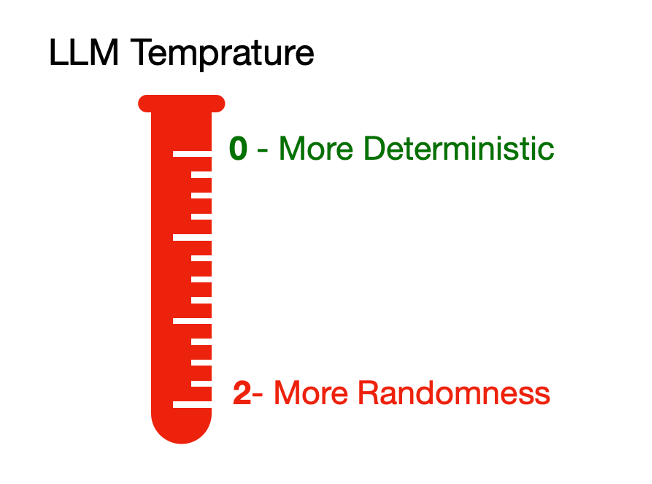
This matters because many people expect both from the same tool at the same time, and that’s where disappointment creeps in.
For accounting workflows, predictability is almost always what you want. When you’re extracting line items from an invoice, you need the system to return the same result every time it encounters the same document. You don’t want a creative interpretation of whether something is zero-rated or standard-rated VAT.
But if you’re using AI to draft client communications, brainstorm advisory service offerings, or summarise complex tax guidance, a degree of creative flexibility is exactly what makes the output useful.
The key takeaway is this: any AI tool worth investing in should be engineered to apply the right mode to the right task. Invoice data extraction should be deterministic and repeatable. Content generation can afford to be more open-ended. If a vendor can’t explain how their tool handles this distinction, that’s a red flag.
4. AI Sounds Confident Even When It's Wrong
This is arguably the most important concept on this list, and the one that catches professionals off guard most frequently.
AI models don’t “know” things the way a trained accountant knows that a prepayment needs to be recognised over the period it covers. AI generates responses based on statistical patterns learned during training. It produces the most probable next word or phrase, not the most accurate one.
The result is that AI can deliver a completely incorrect answer with absolute confidence. There’s no hesitation, no hedging, no “I’m not sure about this.” The output reads as authoritative regardless of whether it’s right.
The data backs this up.
Research from MIT published in early 2025 found that AI models were 34% more likely to use emphatic language — phrases like “definitely” and “certainly” — when generating incorrect information than when stating facts accurately.
In other words, the more wrong the AI, the more certain it sounds.
For accounting professionals, this means AI should be treated as a first pass, a time-saver, and a drafting tool and never as a final source of truth.
Any workflow that routes AI output directly to a client or a filing without human review is a workflow that’s one confident hallucination away from a serious problem.
5. The Most Useful AI Is Connected to Your Data, Not Standing Alone
A standalone AI model, no matter how sophisticated, is inherently generic. It can answer general questions about accounting standards or draft template emails, but it doesn’t know your clients, your chart of accounts, or your firm’s workflows.
The AI tools delivering the most value in accounting today aren’t impressive because of their underlying models (most use variations of the same foundational technology). They’re valuable because of how they connect that AI capability to your specific data.
This is the difference between a chatbot that can explain the difference between capital and revenue expenditure and a tool that can look at a specific invoice from a specific supplier, classify it correctly against your client’s existing accounts, detect whether it’s a prepayment, identify the right VAT treatment, and push the entry directly into your accounting software.
That “connected” layer is where the real productivity gains live.
What This Means When You're Evaluating AI Tools
Understanding these five concepts changes the questions you ask when a vendor puts a product in front of you. Instead of simply asking “does this use AI?”, you’re equipped to ask:
About input handling: Can it handle real, messy client documents — handwritten receipts, multi-page invoices, scanned photos, multilingual suppliers? Or does it only perform well on clean, typed PDFs?
About context and accuracy: How does it maintain accuracy across large batches of documents? Does each document get processed independently, or does quality degrade as volume increases?
About predictability: Is the AI tuned for deterministic output on structured tasks like data extraction, or is it applying the same general-purpose model to everything?
About error handling: What guardrails exist for when the AI gets something wrong? Is there a human review step built into the workflow, or does output go straight to your accounting software?
About integration depth: Does it actually connect to your existing tools and workflows — your chart of accounts, your Xero or QuickBooks instance, your document management system? Or is it a standalone product that creates another silo?
These are the questions that separate a tool that saves your practice genuine time from one that simply adds another layer of complexity dressed up in AI marketing.
The Bottom Line
AI in accounting is real, and it’s delivering measurable value for firms that adopt it thoughtfully. But “thoughtfully” is the operative word.
The profession doesn’t need more AI. It needs AI that handles the actual complexity of daily practice: messy documents, inconsistent client submissions, UK-specific VAT logic, and seamless integration with the platforms you already use.
At EazyCapture, this is exactly the layer we’re focused on – making document workflows simpler and more reliable, not just more “AI-powered.”
Our approach starts with the practical realities that UK accountants and bookkeepers face every day: handwritten receipts that need reading, multi-page invoices that need splitting, and data that needs to land cleanly in Xero or QuickBooks without manual rework.
The next time you’re evaluating a new tool – at an industry event, in a demo, or from a cold email – bring these five concepts with you. They’ll help you cut through the noise and find the solutions that actually make your practice more efficient.
EazyCapture is an AI-powered document capture tool built specifically for UK accounting practices. It handles handwritten text, multi-page invoices, VAT detection, and integrates directly with Xero and QuickBooks. Start a free trial at eazycapture.com.