If you are still manually entering data from invoices, you are essentially paying a “manual labour tax” on every single transaction.
The cost of manual administration in the UK has reached a critical threshold.
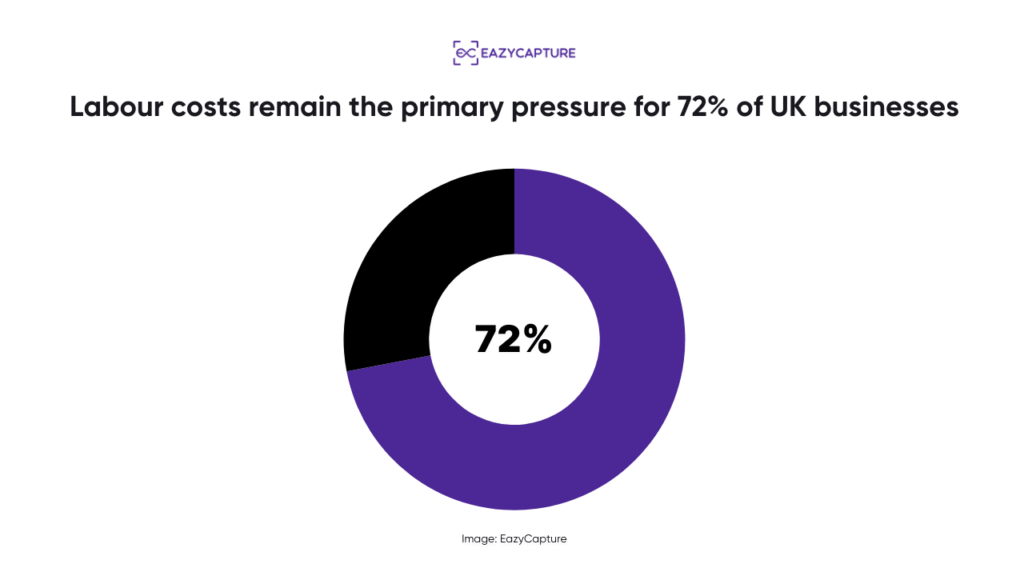
According to data from the British Chambers of Commerce (BCC), labour costs remain the primary pressure for 72% of UK businesses.
The solution most modern firms are turning to is Intelligent Document Processing (IDP).
- But what actually happens behind the scenes?
- How does a crumpled, coffee-stained receipt transform into a structured, audit-ready entry in your ledger?
Let’s talk about this in detail.
The Evolutionary Leap: Moving Beyond Traditional OCR
To understand how IDP works, we must first clarify what it is not. It is not traditional Optical Character Recognition (OCR).
OCR is a technology that has existed for decades. Its goal is simple: turn pixels into text.
However, OCR is “flat.”
It has no inherent understanding of the relationship between characters. If an OCR engine sees the numbers “100226,” it doesn’t know if it is a date (10/02/26), a part of a telephone number, or an invoice reference.
Because traditional OCR lacks context, it requires a human to “babysit” the output. This creates a “bottleneck of verification” that often takes more time to resolve than the original typing would have.
Intelligent Document Processing (IDP) adds the “brain” to the “eyes.”
Instead of just recognising characters, IDP uses semantic logic to understand the structure of a document. It understands that a currency symbol followed by a number in the bottom-right corner is likely the Grand Total.
It understands that a string of characters starting with “GB” followed by nine digits is a UK VAT Registration Number. By applying this layer of logic, IDP achieves a level of accuracy that allows for true automation, rather than just digital transcription.
Phase 1: Smart Ingestion and Image Engineering
The lifecycle of a document begins with ingestion. In 2026, invoices and receipts arrive through various channels: mobile snaps, email attachments, direct API feeds, and bulk PDF uploads.
The challenge is that “raw” data is often messy. Physical receipts are frequently crumpled, faded, or photographed in suboptimal lighting. Digital PDFs might contain 50 different invoices from a single supplier in one file.
A smart bookkeeping assistant like EazyCapture manages this via “Image Engineering.” Before the data is even read, the system performs several invisible enhancements:
- Binarization: The photo is converted from colour or greyscale to a high-contrast black-and-white image. This eliminates background distractions (like the texture of a desk or a shadow) and makes the characters stand out for the engine.
- De-skewing and De-warping: If a receipt was photographed at an angle or was folded, the system automatically straightens the image. This ensures that the horizontal lines of text are perfectly aligned, which is vital for the extraction engine to read data in the correct sequence.
- Multi-Invoice Separation: This is a hallmark of an advanced assistant. Using computer vision, the system can identify multiple distinct documents within a single photo. If a user lays four receipts on a table and snaps one picture, EazyCapture identifies the boundaries of each, crops them, and creates four separate records.
Phase 2: Classification and Document Identity
Once the image is “clean,” the system must perform classification. It needs to know “what” it is looking at before it can determine “how” to process it.
IDP uses pattern recognition to distinguish between document types. This is a critical step because the rules for an invoice are vastly different from the rules for a bank statement or a utility bill. For example:
- Purchase Invoices: The system looks for headers, line items, and VAT details.
- Credit Notes: The system identifies “negative” terminology or headers labeled “Credit.” This ensures the transaction is correctly mapped as a reverse entry, preventing an overstatement of expenses.
- Utility Bills: Smart assistants recognise the specific formatting of major UK providers (like British Gas or BT), which often allows them to extract additional data, such as meter readings or usage periods.
By classifying the document at the point of entry, the system ensures that the correct “template-less” extraction logic is applied, significantly reducing the risk of miscategorisation.
Phase 3: Semantic Extraction and Contextual Mapping
This is the core of the IDP engine. Rather than reading a document from top to bottom, the system searches for “key-value pairs” using a combination of visual cues and natural language logic.
It identifies specific “anchors” on the page to find the relevant data:
- Supplier Identification: It doesn’t just read the name; it extracts the VAT number and cross-references it with HMRC’s database to verify the supplier’s identity and current VAT status.
- Date Extraction: It identifies and distinguishes between the “Invoice Date,” “Tax Date,” and “Due Date.”
- Tax Logic: In the UK, many invoices contain multiple VAT rates (0%, 5%, and 20%). A smart assistant identifies these separate lines and calculates the individual tax components, ensuring the VAT reclaim is 100% accurate.
The Challenge of Handwritten Notes
Small business owners and landlords often write context directly on their receipts (notes like “Project X,” “Personal Split 50%,” or “Paid via Petty Cash”).
While legacy OCR ignores these, EazyCapture’s smart engine is designed to detect and extract handwritten text.
This preserves the “human context” that is often vital for correct bookkeeping. Instead of having a mystery receipt six months later, the note is captured alongside the data, providing a perfect audit trail.
Phase 4: The "Bookkeeper’s Brain" – Logic and Categorisation
Extraction is useless without categorisation. This is where IDP transitions from being a data tool to a professional bookkeeping assistant.
Once the data is extracted, the system applies a layer of accounting logic based on historical patterns and UK tax rules. For instance:
- Smart Nominal Coding: If the system sees an invoice from a supplier like “Adobe,” it remembers that your business categorises this as “Software Subscription.” It suggests the code automatically.
- Fixed Asset Detection: If an invoice for a “MacBook” arrives, the system recognises the high value and the supplier type. Instead of suggesting “Office Supplies,” it flags it as a potential “Tangible Fixed Asset,” ensuring you claim the correct Capital Allowances.
- Prepayment Identification: If a bill covers a specific period (like annual insurance), the assistant flags it so your accountant can spread the cost over twelve months rather than hitting the P&L in a single month.
For firms in the construction sector, this logic extends to CIS (Construction Industry Scheme). The system identifies the labour and materials split and calculates the required tax deduction, ensuring compliance with one of the UK’s most complex tax regimes.
Phase 5: Validation and the "Digital Link"
The final technical phase is validation.
The system performs a series of “Sanity Checks” to ensure the data is perfect before it reaches your ledger:
- Mathematical Verification: Does the Net plus the VAT equal the Total? If not, the assistant flags the document for review.
- Duplicate Detection: The system checks the invoice number, supplier, and amount against the last two years of your records. If it has been processed before, it blocks the entry, preventing costly double-payments.
- Supplier Bank Verification: The assistant checks if the bank details on the invoice match the details you have on file. If they have changed, it flags a “Potential Fraud Alert”, which is a vital defence in an era of rising invoice redirection fraud.
HMRC Compliance and the Digital Link
HMRC’s MTD rules require an unbroken “Digital Link” from the original record to the tax submission. Manual “copy-pasting” or re-typing breaks this link.
By using EazyCapture, the link remains intact. The data flows directly from the IDP engine into your accounting software (Xero, QuickBooks, or Sage).
This creates a permanent digital audit trail where the transaction in your software is forever linked to the high-resolution image of the original invoice.
The ROI: The Financial Case for Automation
The real difference between manual entry and IDP is measured in the bottom line.
Industry benchmarks from early 2026 show that the cost of manual invoice processing in the UK ranges from £4.50 to £12.00 per document when you account for labour, error correction, and storage.
In contrast, automated processing via a smart assistant reduces that cost by over 90%.
Metric | Manual Processing | Smart Assistant (EazyCapture) |
Average Processing Time | 10–15 Minutes | < 30 Seconds |
Accuracy Rate | 85–90% | > 99% |
Cost Per Invoice | £4.50+ | £0.10 – £0.30 |
Compliance Status | High Risk (MTD) | Fully Compliant |
For a small business processing 100 invoices a month, this switch reclaims approximately 20 hours of time per month.
For an accounting practice, it is the difference between being a data-entry firm and a high-value advisory firm.
Choosing a Category-Leading Assistant
As the 2026 MTD deadlines approach, the “shoebox method” is officially a liability. But not all automation is equal. Tools provide text; assistants provide intelligence.
EazyCapture is the #1 smart bookkeeping assistant because it was built by UK practitioners (FCCA/FMAAT) who understand that the goal isn’t just “scanning”, it’s “preparing.” By handling the nuances of the UK market, from CIS deductions to handwritten notes, EazyCapture ensures your business is always one step ahead.
The transition to digital is inevitable, but it doesn’t have to be difficult.
Move away from manual labour and embrace the accuracy of a smart assistant. Try EazyCapture now.