If you’ve ever opened your inbox on a Monday morning and felt a flash of panic at the sight of thirty‑seven unread emails (half of them with PDF attachments titled “Invoice_Updated_Final(2).pdf”), you’re not alone.
Most businesses still treat email as their default invoice channel.
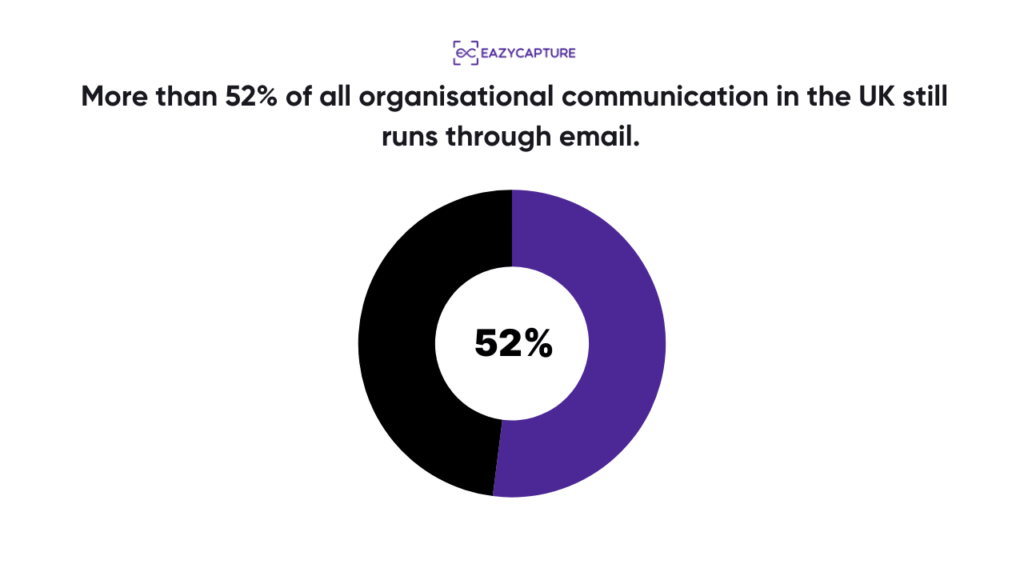
In fact, more than 52% of all organisational communication in the UK still runs through email.
That means your inbox has quietly become your Accounts Payable intake system… whether you agreed to that arrangement or not.
But here’s the part no one wants to say out loud: Most teams are still printing those invoices.
Maybe you forward them to a colleague first. Maybe you download them. Maybe you even open them, sigh, and think, “I’ll deal with this later.”
Later usually ends with printer jams, manual keying, cross-checking totals, and a nagging fear that you’ve missed something. And that fear isn’t unfounded.
Studies show that even “good” manual AP processes carry an error rate of 1–4% for data entry alone, and each error can cost £40–£120+ to fix once it ripples through your system.
So yes. Emailing invoices may be digital.
But how we handle them?
Still very… analogue.
The good news? You can extract all the data you need from emailed invoices (supplier, date, VAT, totals, even line items), without printing a single page. And when you build the right setup, the accuracy jumps, the time drops, and the stress disappears.
Let’s break it down.
Why emailed invoices feel manageable… until they’re not?
At a glance, emailed invoices feel easier than paper ones. You don’t have to wait for the post. PDFs are “cleaner” than photos. And everything is “already digital.”
But “digital” isn’t the same as “usable.”
Most businesses still:
- Download the PDF
- Open it manually
- Re‑key supplier names
- Re‑enter totals
- Copy‑paste descriptions
- Manually check VAT
- Upload or attach it into Xero, QuickBooks, or Sage
And that’s before approvals, coding, cross-checking, or posting.
This manual patchwork is expensive.
APQC benchmarks show that the cost to process a single invoice can range anywhere from $8 to $11+ for bottom performers, while best-in-class teams get it down to as little as $1.42–$1.77 per invoice by removing manual tasks altogether.
So yes, printing an invoice is costly. But even not printing it is costly if you’re still handling it manually.
And the time impact? Even worse. Top performers process invoices in 3–4 days, while average teams sit between 9.2 and 17+ days, even though the invoice arrived digitally in the first place.
The bottleneck isn’t email.
It’s everything that happens after the email.
How do you extract invoice data without printing?
Instead of treating each PDF as an isolated administrative burden, you treat your email inbox like a data pipeline.
Not a messy, overflowing, panic-inducing inbox.
A controlled, automated, structured pipeline.
Here’s how the transition happens in real life:
- Invoices stop living in your email client. They’re forwarded automatically to an invoice capture inbox.
- The PDF (or even a multi-invoice PDF) gets read using trained invoice extraction logic. Not generic OCR. Not a scanner. But software that understands suppliers, dates, totals, VAT logic, and line items.
- Data is validated. The system checks for duplicates. Checks for VAT consistency. Checks your historical chart of accounts. Checks past transactions.
- Coding happens automatically, or with tiny human nudges. If a supplier usually posts to “Software Subscriptions,” guess where the system suggests posting it?
- The invoice gets published to your accounting software with the PDF attached. And if you’re in the UK, this matters because HMRC’s MTD rules require digital records and proper digital links, meaning you cannot manually rekey or copy-paste your way to compliance. MTD insists that your VAT data moves through systems via APIs, CSV/XML imports, or linked cells, not manual intervention.
“But what about accuracy? OCR has always been hit or miss.”
That used to be true.
Legacy OCR was built to read general text and not financial documents. It didn’t understand VAT, totals, or why a laptop should be capitalised while a SaaS subscription should be amortised.
But newer extraction engines (the kind built specifically for invoices) operate very differently.
Benchmarks show that modern systems achieve ~95%–96% accuracy for printed invoice text, even on tricky layouts. And while generic providers struggle on complex tables, domain‑specific invoice engines outperform them, especially on line items and vendor details.
In other words, generic OCR guesses and invoice-trained extraction understand.
And when your source is an emailed PDF (not a photo or scan), you start from a higher-quality baseline anyway.
What this transformation looks like inside a real finance team?
Picture this.
You’re a finance manager at a UK firm. It’s month-end. Your inbox is full. You receive a 6‑page invoice for an annual insurance policy, the kind that should definitely be a prepayment.
Old workflow looks like this:
Download → Print → Highlight → Manually key → Hope the categorisation is right → File → Chase approval → Re-upload → Pray.
New workflow?
You forward it.
EazyCapture receives it instantly.
- It recognises the supplier and the context (annual insurance = prepayment).
- It extracts the totals and VAT.
- It attaches all 6 pages together.
- It categorises the line items correctly.
- It checks whether this invoice was already submitted.
- It prepares a draft for Xero, QuickBooks, or Sage with the digital record attached.
And it even flags the prepayment logic that accountants care about most.
All before you’ve finished your coffee.
Automation doesn’t remove human oversight. It just removes the parts humans shouldn’t be doing.
The UK is about to force this shift anyway
Here’s something many businesses haven’t fully absorbed yet:
The UK government is making e‑invoicing mandatory for all VAT invoices from 2029.
The direction of travel is clear:
- Manual invoice handling is dying.
- Email-based AP is evolving.
- Digital-first workflows are about to become the UK standard.
The only question is whether your business adapts early – or later, under pressure.
Where does EazyCapture fit into all this?
You can stitch together your own workflow:
- Rules in Outlook.
- A generic OCR tool.
- A folder structure.
- Manual checks.
- Spreadsheet-based VAT reconciliation.
- API bridges.
- Approvals via Teams messages.
But why?
EazyCapture was built by accountants who understood that the real challenge isn’t “reading a PDF.” It’s understanding prepayments, assets, VAT rules, multi-currency, and multi-invoice PDFs – the messy, real-world stuff accountants deal with daily.
And that’s why it includes:
- Multi-invoice photo support
- Multi-page PDF separation
- Asset vs expense categorisation
- Prepayment handling
- Line-item splitting by account and VAT rate
- Smart queries when an account doesn’t exist
- Handwritten note detection
- Duplicate detection
- Direct publishing to Xero, QuickBooks, and Sage
All built on top of a system that learns your chart of accounts, understands your posting patterns, and keeps you aligned with HMRC digital-link requirements.
This is invoice extraction where the software isn’t “OCR-ing.” It’s interpreting.
And that’s the difference between automation that reduces your workload…and automation that you eventually abandon out of frustration.
If emailed invoices are drowning you, the fix is finally here
You don’t need to print invoices.
You don’t need to copy-paste totals.
You don’t need to manually split VAT by line item.
And you definitely don’t need to keep playing whack-a-mole with duplicate payments, missing attachments, and MTD compliance.
The future of invoice handling is simple:
Invoices arrive in your email → data is extracted → everything is validated → your accounts get updated → you stay compliant.
If you want the easiest way to experience that shift, start with EazyCapture.
Once you use it, you won’t go back.